
How to Download and Use Bangbet App on Android
📲 Learn how to download and install the Bangbet app on your Android device. Discover key features, security tips, and enjoy smooth betting across Nigeria’s favourite sports platform.
Edited By
Rebecca Shaw
Downloading and using the BangBet app is straightforward but requires attention to details to avoid common pitfalls. BangBet offers dedicated betting services tailored for Nigerians, providing a better experience than web browsers or third-party apps.
The latest BangBet APK is designed for Android smartphones running version 5.0 (Lollipop) or higher. This covers most devices in use across Nigeria.
For iPhone users, BangBet has an iOS app available on the Apple App Store, compatible with iOS 11 and newer versions.
Ensure your device has at least 100MB of free storage for a smooth installation and caching during use.
To avoid scams or malware, always download the BangBet app APK from the official BangBet website or trusted app marketplaces. Downloading from unauthorised sources risks installing corrupted or fake versions that compromise your data.
Always enable "Install from Unknown Sources" temporarily to install APK files on Android. Disable it afterwards to maintain device security.
A stable internet connection is vital. While the app works on 3G networks, 4G or Wi-Fi provides more reliable betting and faster updates, especially when live betting or depositing funds.
Access live betting markets with up-to-date odds.
Deposit and withdraw using popular Nigerian payment methods like bank transfer and USSD.
Receive alerts and notifications for winning bets or promotions tailored for Nigerian users.
For Android, after downloading the APK, open the file manager to locate and run the installer.
For iOS, the installation is seamless through the App Store; just search "BangBet" and tap install.
Post-installation, register or log into your BangBet account and explore the intuitive navigation.
Keep your phone charged during installation and updates to avoid interruptions.
Regularly update the app to benefit from new features, bug fixes, and security patches.
Mastering these basics will put you on firm ground to enjoy responsible and smooth betting experiences with BangBet. Next, we will explore a step-by-step guide on downloading the latest versions and setting up your account.
Getting a good grasp of the BangBet app is essential before you dive into downloading or using it. This section sheds light on what the app is, the services it offers, and why it stands out — especially for Nigerian users. That way, you can make an informed choice about how this app fits into your betting activities.
BangBet is a popular online sports betting platform widely used in Nigeria. It offers a variety of betting markets across football, basketball, tennis, and even virtual sports, catering to diverse tastes. Beyond sports, BangBet includes options for casino games and live casino experiences, giving you a broad spectrum to place your bets. The app brings all these services to your fingertips, allowing for real-time betting, checking match statistics, and managing your account securely.
What sets BangBet apart is its user-friendly interface combined with fast loading times, even on slower internet connections common in some Nigerian regions. For example, if you're a football fan wanting to bet on the Nigerian Professional Football League (NPFL) or international leagues like the English Premier League, BangBet ensures you get instant updates and odds.
Using BangBet’s app offers clear advantages compared to accessing betting platforms via browser. First, the app eliminates the need to log in every time, speeding up access to your account anytime you want to place a bet. Plus, notifications keep you updated on live matches, bet results, and bonus offers.
Security is a big concern for Nigerian bettors, and BangBet addresses this with data encryption and secure login features such as biometric authentication on supported devices. This way, your deposits and winnings stay protected.
Furthermore, the app supports popular local payment methods such as bank transfers, USSD codes, and mobile wallets like OPay and PalmPay. That means funding your account or cashing out winnings is straightforward and fast without the hassle of visiting a betting shop.
Lastly, the app is optimised for Lagos, Abuja, Port Harcourt, and other Nigerian cities in terms of speed and server reliability. Unlike some international betting apps, BangBet considers local realities like intermittent power supply and mobile data costs.
The BangBet app simplifies the betting experience by combining a broad market offering with local payment options and strong security, making it a top pick for users across Nigeria.
Before downloading the BangBet app, checking device compatibility is key to avoid installation failures and poor performance. Knowing your device’s system requirements protects you from wasting data on an app that won’t run smoothly. This step also helps you plan for any updates or changes needed on your phone to enjoy optimal betting experience.
The BangBet APK supports Android devices running version 6.0 (Marshmallow) and above. Devices with older versions risk frequent crashes or may fail to install the app altogether. For example, someone using a tokunbo Android phone stuck on Android 5.1 will need to update or consider using the web version instead.
Installation requires permissions like access to storage for saving data, internet for live updates, and device ID for security verification. Users often overlook enabling "Unknown Sources" in Settings to install APKs outside Google Play Store; this setting must be allowed temporarily for installation. After setting permissions, the app runs smoothly on phones like Samsung Galaxy A12 or Tecno Camon 17, which are popular among Nigerian bettors.
If your Android device has weak processing power or limited storage (below 2GB RAM or under 500MB free space), BangBet’s performance could lag. Clearing old apps or files helps ensure smoother usage.
For Apple users, the BangBet app requires iOS 12.0 or later. This covers devices from iPhone 6S upwards, including iPhone 7, 8, X, 11, 12, and newer versions like iPhone 13 and 14. Older devices such as the iPhone 5S or iPhone 6 cannot support the app.
The app is also available for iPads running iPadOS 13 and above, so users with iPad Air (3rd generation) or later can comfortably install it. Ensuring sufficient storage—at least 300MB free—is important to avoid installation errors.
Make sure your iPhone or iPad’s software is up to date to benefit from stability fixes and security improvements that impact app performance. For instance, attempting to install BangBet on iOS 11 may lead to incompatibility errors.
Taking time to check these requirements upfront saves frustration later. With proper compatibility, the BangBet app runs without hitch, allowing seamless access to betting features designed for Nigerian users.
By confirming your device meets these specifications, you’re set to have a reliable, smooth experience placing bets with BangBet on the go.
Getting the BangBet APK on your Android device is essential for seamless access to one of Nigeria’s leading betting platforms. Unlike iOS users who can download directly from the App Store, Android users often need to handle APK files because many betting apps are not listed on Google Play due to policy restrictions. Understanding where and how to download the latest BangBet APK safely will save you from malware risks and ensure you have the most up-to-date version.
The safest place to get the BangBet APK is directly from the official BangBet website. Downloading from third-party sites can expose your phone to viruses or outdated versions, which might not work properly. Some Nigerian tech blogs and reputable forums occasionally share APK links, but it’s best to stick with official sources to avoid surprises. Also, make sure your internet connection is secure and stable to prevent file corruption during the download.
Always check the APK version number before downloading to confirm you are getting the latest release.
Enable app installation from unknown sources: Before installing the APK, go to Settings > Security on your Android device and enable "Install unknown apps" for your browser or file manager. This step is crucial because Android blocks direct APK installs by default.
Download the APK file: Navigate to the official BangBet website and download the latest APK version to your phone’s storage.
Locate the downloaded APK: Open your file manager and go to the "Downloads" folder where the APK is saved.
Install the APK: Tap the file to begin the installation. Your device may prompt you to accept permissions required by BangBet. Approve these to proceed.
Complete the installation: Once installed, open the app and log in or register to start betting.
This straightforward process often takes less than five minutes if you follow the steps carefully.
Sometimes, Android devices throw up errors during APK installation. One frequent issue is the "App not installed" message. This can happen if you have a previous incompatible version of BangBet or if your device lacks sufficient storage. Try uninstalling any older BangBet versions and clear temporary files before retrying.
Another problem is permission denial when installing from unknown sources. Double-check your settings in Settings > Security to confirm the app trying to install the APK has the required permission.
If the APK fails to open or crashes immediately, it could be due to an incompatible Android version. BangBet APK typically requires Android 5.0 Lollipop or higher. Devices running older versions should consider upgrading the OS if possible.
By knowing exactly where to download the BangBet APK and how to install it step by step, you avoid unnecessary risk and get straight to enjoying the betting experience. Pay attention to version updates to keep your app running smoothly amid competition and evolving features.
For Nigerian users who prefer Apple products, getting the BangBet app on iOS devices is a crucial step towards enjoying smooth and reliable betting services. The app’s compatibility with iPhones and iPads allows users to place bets, check live results, and manage accounts conveniently on the go. Since iOS is a controlled ecosystem, installing the app through official channels ensures security and seamless updates.
To download BangBet on your iPhone or iPad, start by opening the App Store. Search precisely for "BangBet" to avoid fake apps that may look similar but could compromise your data. The official BangBet app will have a verified developer badge, indicating it meets Apple’s security standards. Accessing the app via the App Store guarantees you get the latest tested version, reducing risks related to malware or malicious software.
Remember, downloading apps for betting from outside the App Store can expose your device to security threats and instability. Always stick to authorised sources.
Once you locate the BangBet app in the App Store, simply tap the Get button. The system may prompt you to authenticate using Face ID, Touch ID, or your Apple ID password. After downloading, the app icon will appear on your home screen. Tap it to launch the app and follow the on-screen instructions to sign up or log in.
The process is straightforward and usually takes just a few minutes, depending on your internet speed. Make sure you have at least 200MB of free space on your device before installation to avoid incomplete downloads or errors.
Occasionally, some users experience difficulties installing or running the BangBet app on iOS. A frequent problem is the app not downloading or getting stuck during installation. To solve this, restart your device and check your internet connection — unstable Wi-Fi or mobile data often causes such issues.
If the app crashes or fails to open, confirm your iOS version supports the app; usually, iOS 12 or later works fine for BangBet. Updating your device to the latest iOS version typically resolves compatibility problems.
Another common issue arises when users cannot log in due to forgotten passwords or account locks. Use the app’s password recovery feature or contact BangBet customer support directly through their verified channels.
Lastly, sometimes app updates stall on iOS. If this happens, delete the existing app and reinstall it fresh from the App Store to ensure you have the newest version.
Downloading and installing BangBet on your iPhone or iPad offers a secure, user-friendly way to access Nigeria’s popular betting platform, so it pays to follow these guidelines for a smooth experience.
Understanding how to use the BangBet app effectively is key to making the most of its features and enjoying a smooth betting experience. The app is designed with Nigerian users in mind, offering straightforward navigation and a variety of betting options tailored to local preferences. This section shows you how to manage your account, handle your money securely, and place bets with ease.
Setting up an account on BangBet is simple but crucial. After downloading the app, open it and choose the "Sign Up" option. You’ll need to provide basic information like your name, phone number, and email address. A secure password is a must, so pick one that’s hard to guess.
Once registered, you can personalise your profile, update details, and set notification preferences in the app's account settings. If you forget your password, the "Forgot Password" feature lets you reset it via email or SMS. Keep your login details confidential to avoid unauthorised access.
BangBet supports multiple payment options suited for Nigerian users, including bank transfers, debit cards from GTBank and Access Bank, and popular fintech platforms like Paystack, OPay, and PalmPay. Depositing is quick: select your preferred method, enter the amount, and confirm.
Withdrawals follow a similar process, with funds usually credited within minutes to your bank account or e-wallet. Note that Nigerian banks may charge transaction fees, so factor this in when managing funds. It's wise to verify your Bank Verification Number (BVN) and confirm your bank details early on to avoid delays.
Always double-check payment details before confirming deposits or withdrawals to prevent errors that might cause delays.
Navigating the betting options is straightforward. The home screen displays popular sports and events, including football leagues like the NPFL and international matches. Tap on your choice, then select the event and bet type—win, draw, or cover multiple outcomes.
Live betting is a highlight. You can monitor on-going matches and place bets in real-time, with odds updating based on game progress. This feature keeps the excitement fresh but requires quick decisions.
To place a bet, enter your stake amount; the app automatically shows potential winnings. Confirm your bet, and you’re set. Check "My Bets" anytime to review active and settled bets.
Exploring these features lets you control your betting activities confidently. Practice navigating menus and options when not in a rush, so you’re ready for quick action during live matches. The BangBet app is designed to cater to both beginners and experienced punters with its accessible interface and diverse betting markets.
Keeping your BangBet app secure and up to date is vital for a smooth and safe betting experience. Without proper safeguards, you risk exposing your personal data or face disruptions caused by outdated software. This section covers essential practices to protect your account and device, plus guidance on updating the app.
Start by only downloading the BangBet app from official sources such as the BangBet website, Google Play Store, or Apple App Store. Avoid third-party sites or unknown links, which often carry malicious software that can steal your banking details or cause other security breaches.
Once installed, be mindful of app permissions. BangBet requires access to certain device features like storage or network connections, but it does not need full access to contacts or messages. Check permissions carefully in your device settings to avoid over-granting.
Use strong, unique passwords for your BangBet account and enable two-factor authentication if available. This prevents unauthorised access, especially since many Nigerian users rely on mobile data or public Wi-Fi, which can be vulnerable.
Finally, watch out for phishing attempts. If you receive messages or emails claiming to be from BangBet requesting your login details or payment information, confirm their authenticity before responding. Legitimate communication will not ask for sensitive data in unsecured ways.
Prioritising security protects your funds and personal information, allowing you to enjoy BangBet without worries.
Regular updates bring security patches, improved features, and bug fixes. For Android users installing via APK, you should visit the same official source to download the latest version when notified. Avoid downloading APK updates from unfamiliar sites; this reduces risks of corrupted or fake apps.
On iOS, the App Store handles updates automatically if enabled. You can manually check for updates by opening the App Store, tapping your profile, then scrolling to available updates.
It's wise to keep your device’s operating system updated as well since outdated OS versions may clash with newer app releases, causing crashes or security gaps.
Whenever an update is available, installing it promptly ensures that your BangBet app remains compatible with ongoing services, especially as Nigerian digital payment methods or event streaming features improve.
Maintaining app freshness is a practical shield against common troubles, from login issues to faulty bet processing.
With careful attention to secure downloads and timely updates, you’ll safeguard your betting activities and enjoy what BangBet offers fully.
📲 Learn how to download and install the Bangbet app on your Android device. Discover key features, security tips, and enjoy smooth betting across Nigeria’s favourite sports platform.
📲 Learn how to quickly download and install the latest BangBet app on your Android device. Enjoy secure sports betting and gaming tailored for Nigerian users today!
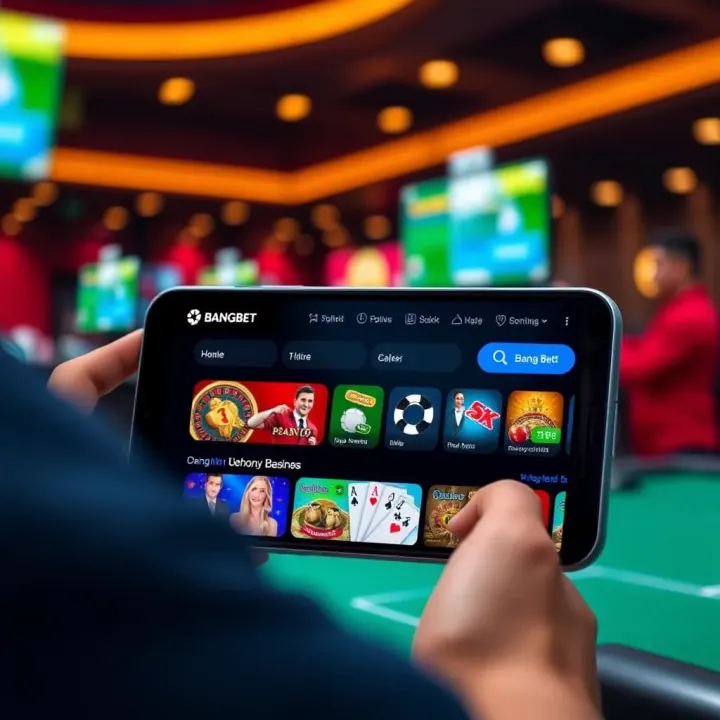
📱 Learn how to download the BangBet app from Play Store, set up your account, stay safe, and get the best betting tips for a smooth, enjoyable experience in Nigeria.
📱 Nigerian sports fans, learn how to download and safely use the Score BangBet app for seamless betting at home or on your okada ride. Tips included! ⚽🏀🎲
Based on 15 reviews